Choose a profile
Select a supported game. Spectra loads the right processes, signals, and detection rules.
Spectra is a local-first Windows companion that detects in-game deaths, records clean session history, and turns live play into useful feedback.
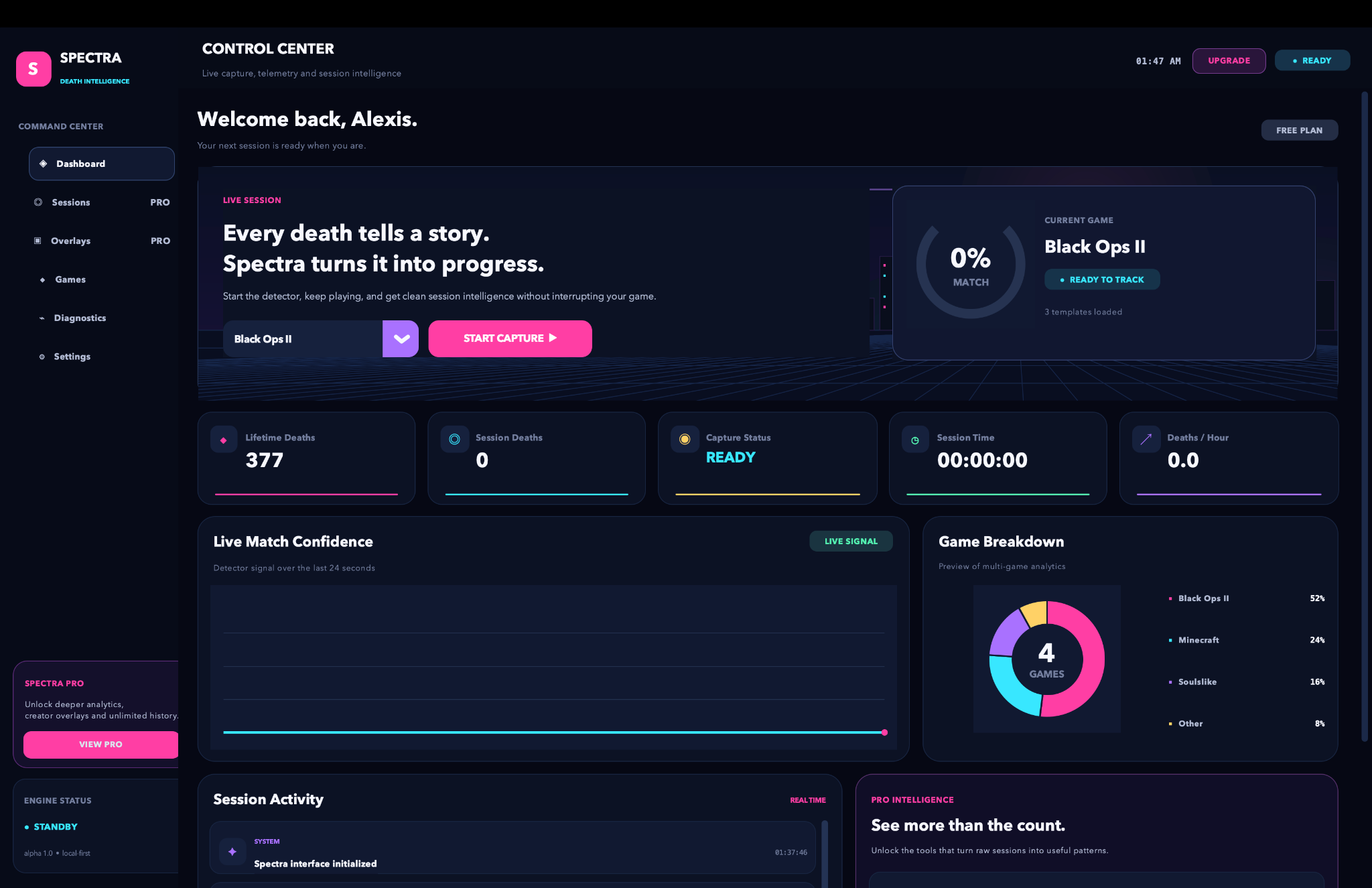
Spectra watches a chosen game window for game-specific visual signals. When a valid death event appears, it records the moment once, waits for the scene to clear, and safely re-arms.
Select a supported game. Spectra loads the right processes, signals, and detection rules.
Keep playing in windowed or borderless mode while the detector follows the game window.
Stop capture to save the session, then inspect pace, timing, and your death timeline.
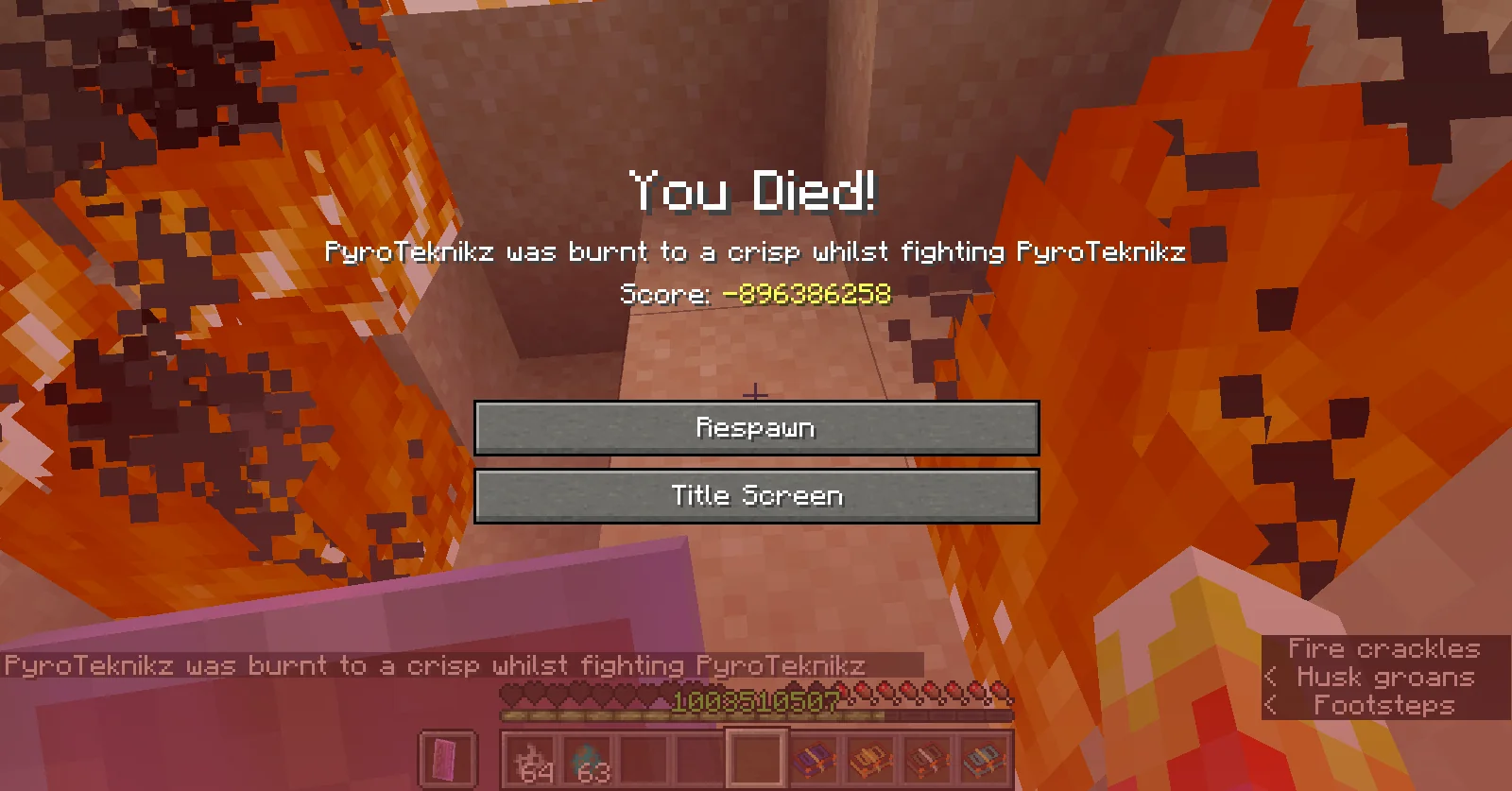
A focused desktop workspace for capture, session review, overlays, profiles, and diagnostics.
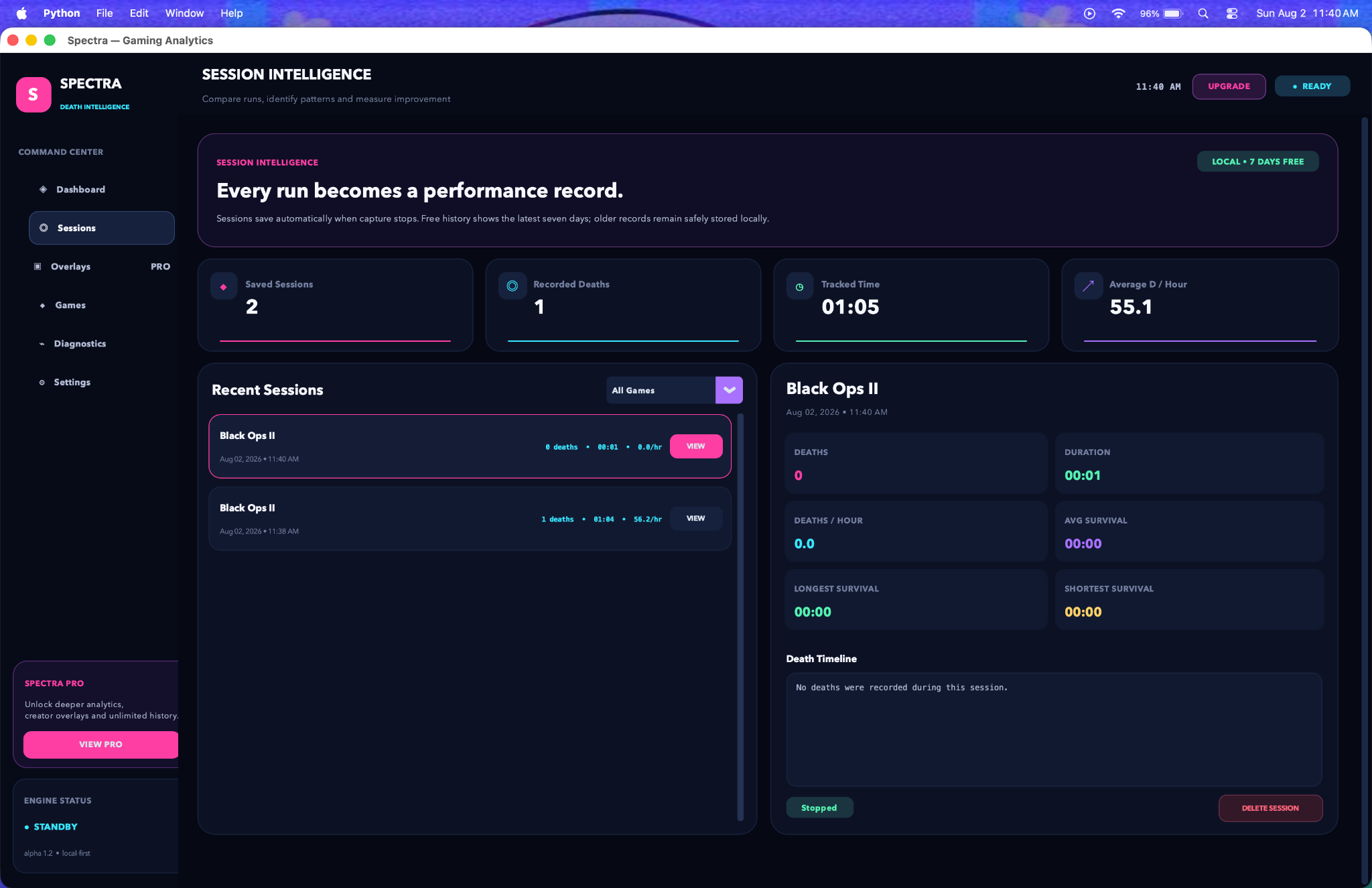
Compare duration, death rate, survival intervals, and the exact timeline of each saved session.
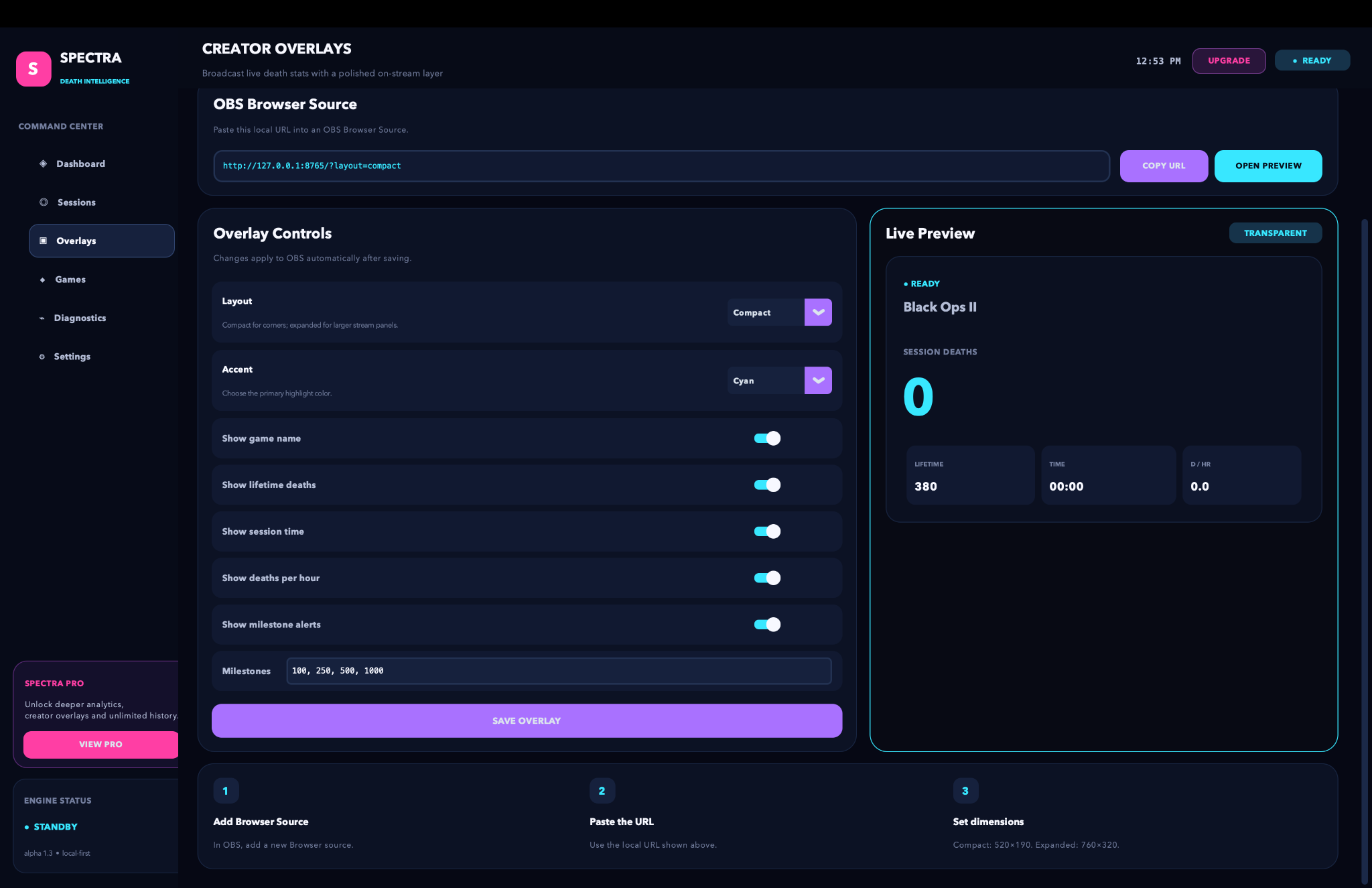
Configure a transparent local overlay and add it to OBS as a browser source.
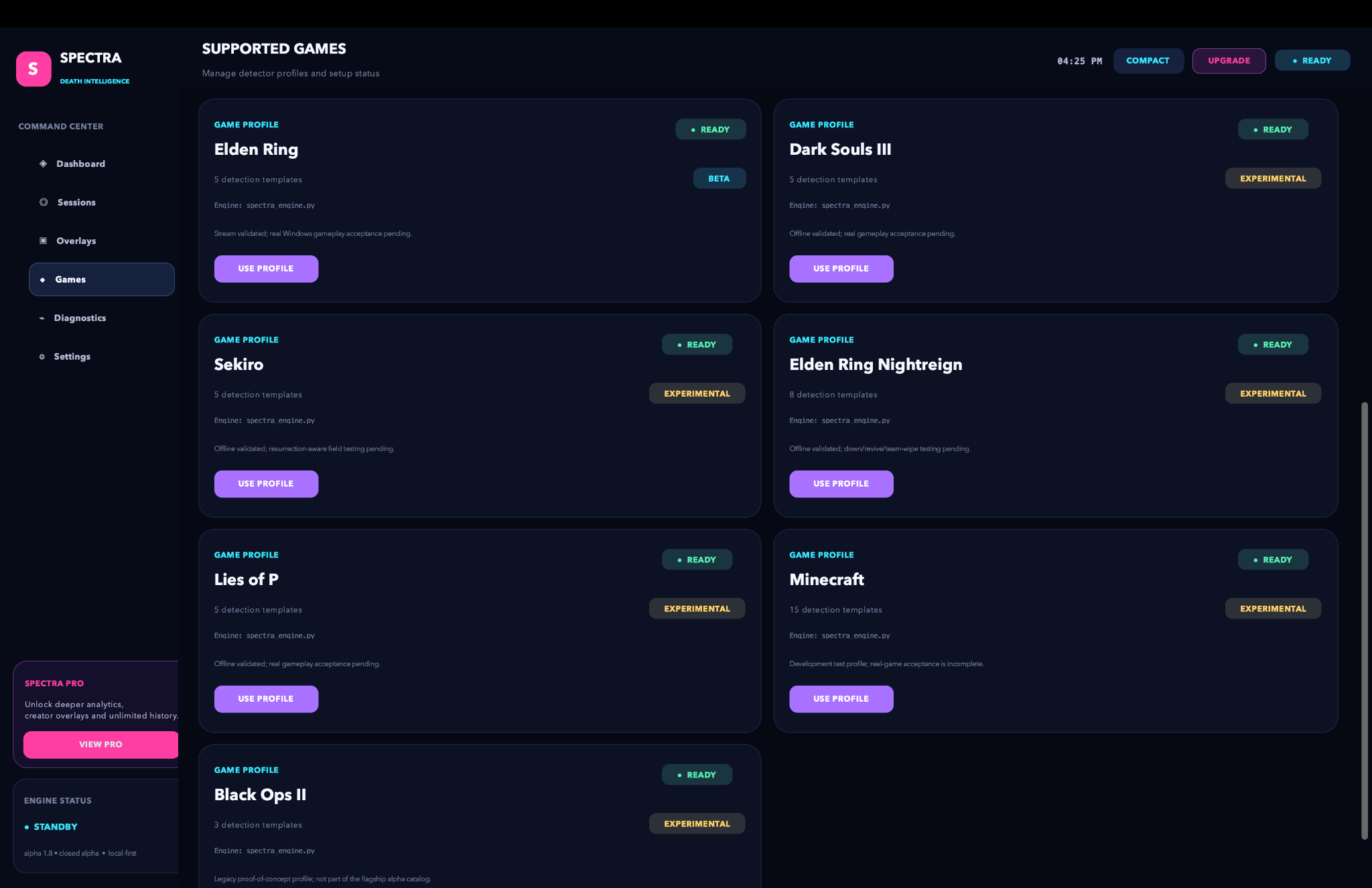
Each profile tells Spectra what window to find and where valid death signals appear.
Profiles are versioned independently because every game presents failure differently. Status labels reflect current validation—not marketing promises.
Experimental profiles require additional real-game acceptance testing before production support.
Spectra captures the details that are easy to forget: when a death happened, how long you survived, and whether the pace of the run changed.
Watch the selected game window and surface detection confidence while you play.
Turn each run into a durable record with deaths, time, rate, and survival intervals.
Send live session stats into OBS through a local browser source—without cloud relay.
Load game-specific signals, thresholds, and process rules from one control center.
See window state, signal confidence, and source-file health when setup needs attention.
Keep the controls and session readout visible beside the game on a single display.
The core capture path reads the selected game window locally. Session files, settings, profiles, and diagnostic exports are stored locally too. No account is required for the alpha build.
Public downloads are not open yet. Review the current alpha access process and release notes before requesting a test slot.
Access requests are reviewed manually through support@spectra-gaming.com.Clear answers for a product that works close to the system.
View all questions ↗Spectra reads frames from the selected game window to detect configured signals. The core app does not upload or save gameplay video.
Profiles use confirmation and re-arm rules so a persistent death screen is counted once, then ignored until the scene clears.
Yes. Creator overlays run from a local browser-source URL and update from Spectra’s local session state.
Its profile has passed offline or stream validation but still needs wider real-game acceptance testing.
Track the moments. Review the pattern. Keep the progress.
Request closed-alpha access ↗